Welcome to the annual roadmap episode of The Omni Show! Ken Case, CEO of the Omni Group, is here to share the our exciting plans for 2023 and give us an inside look at the actual development process.
Welcome to the annual roadmap episode of The Omni Show! Ken Case, CEO of the Omni Group, is here to share the our exciting plans for 2023 and give us an inside look at the actual development process.

Happy New Year! A tradition in January, we take a moment to reflect on the past year and share a roadmap of the intended journey ahead for 2023. We have a very full schedule ahead of us in 2023 as we redesign and rebuild our two most popular apps, OmniFocus and OmniGraffle, leveraging the latest advancements in Apple technologies.
January 19, 2023
Today, we talk with Frank Denneman. Frank works for VMWare as the Chief Technologist in the CTO’s office of their Cloud Infrastructure Business Group. He's the author of multiple books, including “vSphere 6.5 Host Technical Deep Dive” and the “vSphere Clustering Technical Deep Dive” series.
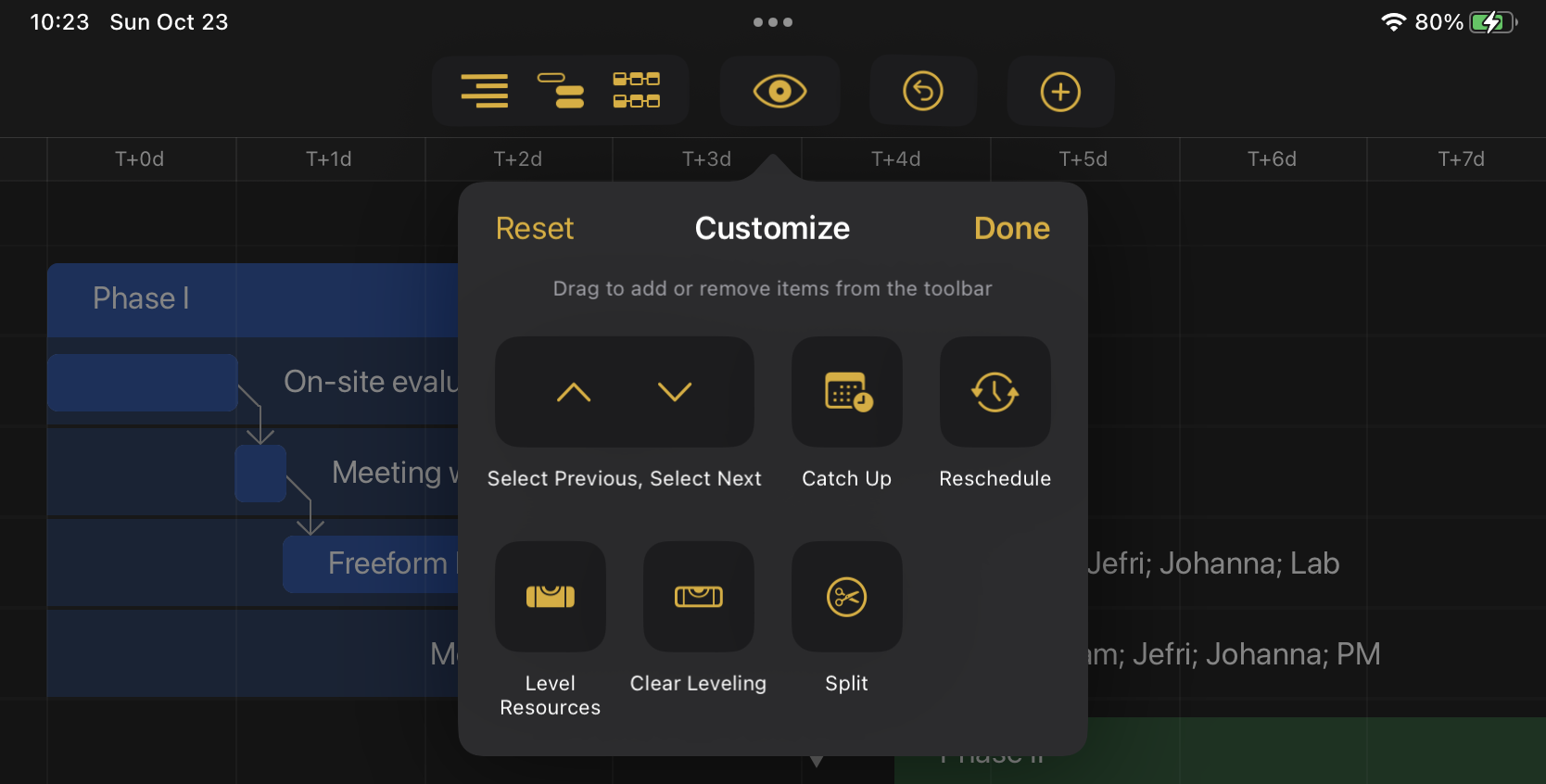
With our latest shipping updates, all of our apps are ready for both macOS Ventura and iPadOS 16. Along with updating our apps for compatibility, we've brought iPadOS 16's customizable toolbars to all our document-based apps (OmniGraffle, OmniOutliner, and OmniPlan).
Thirty (yes, 30!!) years of OmniGroup.com, 100 Episodes of the Omni Show, AND the 5th anniversary of this podcast? We try to contain our excitement as we reminisce with Ken Case.
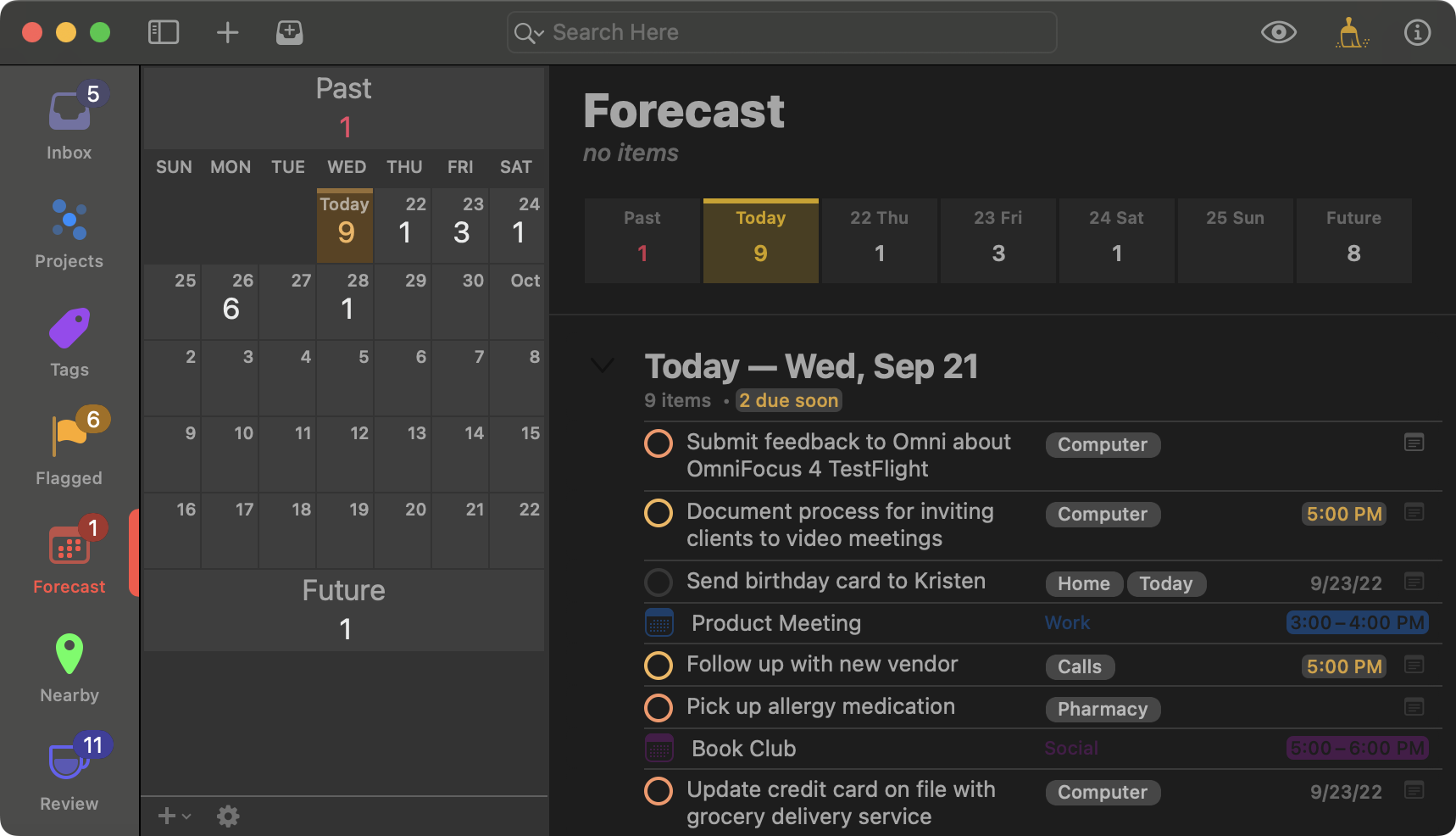
The OmniFocus team has been hard at work on OmniFocus 4, a major new version of OmniFocus for all platforms. Today, we are excited to announce some much anticipated news: OmniFocus 4 for Mac test builds are now available in TestFlight!
Our apps are ready for iOS 16, and we hope you enjoy it when it ships next week. Coincidentally, 30 years ago today was the day that NeXTSTEP 3.0 shipped and we registered omnigroup.com!
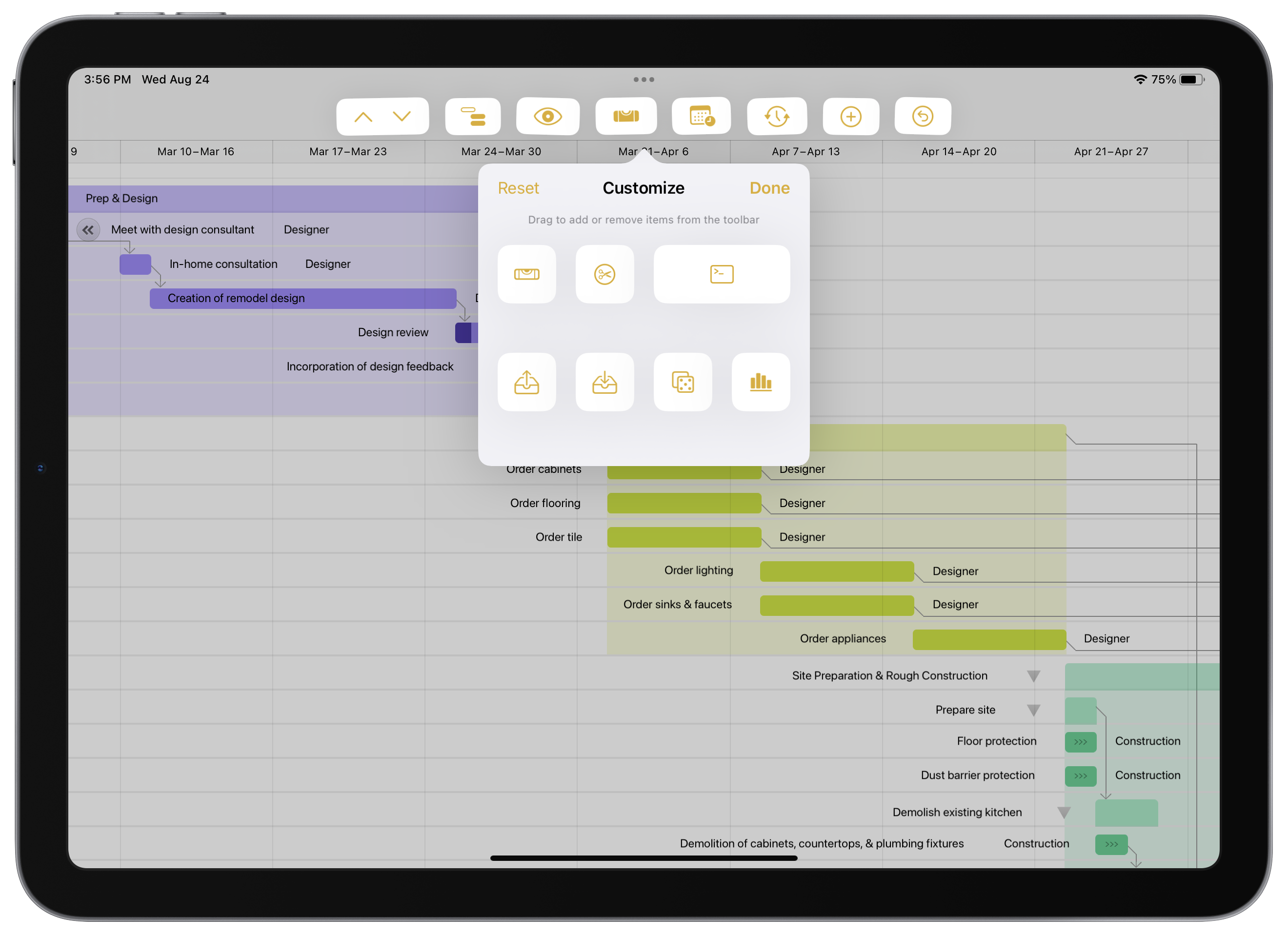
Updates to OmniGraffle, OmniOutliner, and OmniPlan include support for new toolbar functionality on iPads running iPadOS 16.
We've updated our online store so that there's no longer a distinction between team and personal licenses. You can purchase however many licenses you need—traditional up-front licenses or subscriptions—then use them yourself or share them with team members. We've reduced the number of choices each of you have to make when purchasing our software, while still providing flexibility for how you use purchased licenses.
Ken Case, CEO, joins the show to break down his post-WWDC 2022 Roadmap.
What’s the latest? What’s amazingly cool?
And — the annual question — just how much work will we be doing this summer?

One of the predictable sources of news affecting our plans is Apple's Worldwide Developer Conference, so each year we leave space in our schedule to jump into that firehose of information—and when we emerge, we update our plans and share what we've learned about changes that might affect our roadmap.
June 27, 2022
It's probably no surprise that writing software is a somewhat difficult task. There's an unfathomable amount of iteration and detective work that goes into creating a product that feels intuitive for the new user, yet familiar to the ardent fan. Surprisingly, the art of crafting effective software documentation demands some of the exact same iteration and detective skills. Inserting helpful guidance at just the right point in the user conversation (without over-explaining) can be a tricky dance.
Today, we’re spending time with Sam Newman.
He’s a London-based technologist, independent consultant, speaker, and author of "Building Microservices" and "Monolith To Microservices."
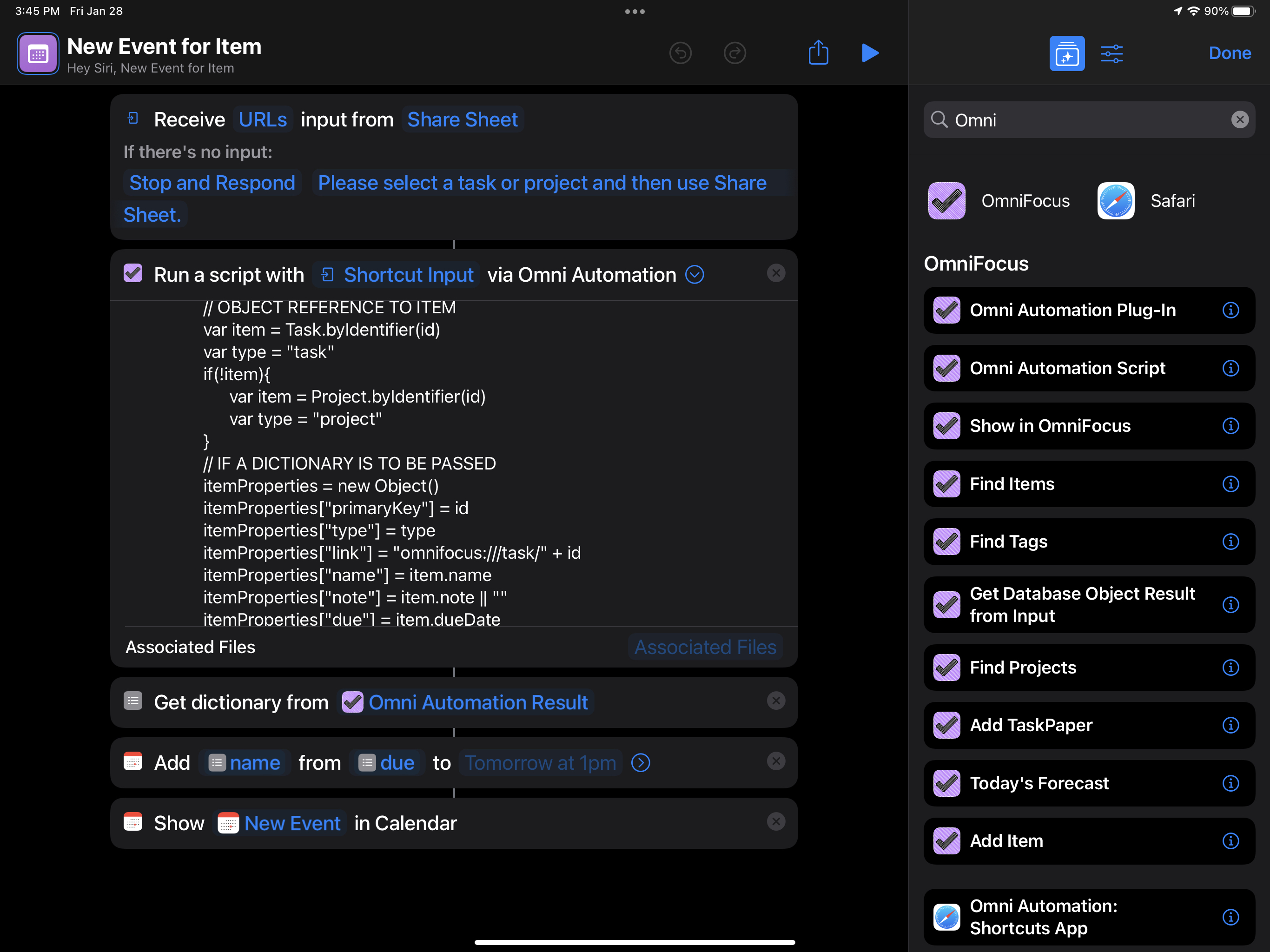
For anyone who uses any of our apps on an iPhone or an iPad, we're starting out the year with updates across the board. With these updates, Omni Automation in Shortcuts is available across all of our apps and on all platforms.
Today, we hang out with the CEO of the Omni Group, Ken Case. He talks us through all of the exciting details of the Omni 2022 Roadmap Blog Post.

Redesigning and rebuilding our apps based on the latest Apple technologies remains our current focus. This ongoing effort has now borne fruit with last year's OmniPlan 4 release, continues with the current OmniFocus 4 TestFlight, and—approaching over the horizon—is expected to lead to an incredible update to OmniGraffle.
January 31, 2022
Today we talk to Naomi Pearce, media relations representative for the Omni Group. This show - and the timing of the show itself - dives into what sort of stress-free goodness can show up for everyday folks who use powerful software.
On today’s show, CEO Ken Case and Automation Advocate Sal Soghoian tackle the question: "Are Omni Apps Ready for macOS Monterey?" Spoiler Alert: Yes, they are!
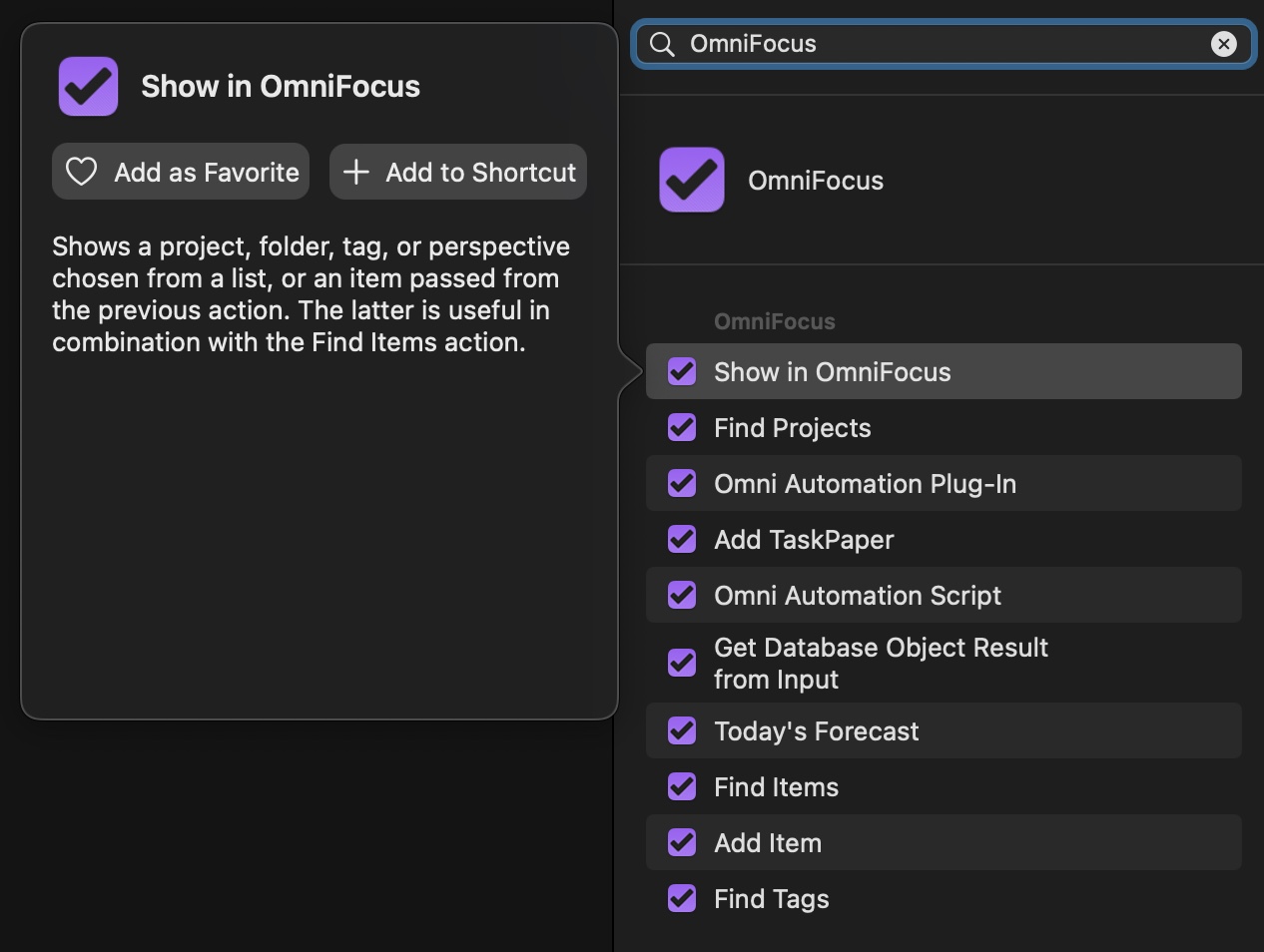
With macOS Monterey we now have Shortcuts available on the Mac! With today’s launch of Monterey, we’re shipping updates to all of our apps which add support for both Monterey and Shortcuts.
October 25, 2021
Today, we hear from the CEO of Australian-owned Jaunt Motors, Dave Budge. Dave uses OmniGraffle to create design schematics that are beautiful and customer-friendly.

© 1994–2026 The Omni Group; Apple, MacBook, the Apple logo, iPad, iPhone, Apple Watch, and App Store are trademarks of Apple Inc., registered in the U.S. and other countries and regions. Apple Vision Pro is a trademark of Apple Inc.