

Happy New Year! Ready for a productive 2026? We have just the thing: we’re pleased to share that a major upgrade of OmniOutliner is ready for you today!
Great things often begin with outlines. Whether you’re a writer or a student, an attorney or a software developer, outlines created in OmniOutliner can help clarify and develop ideas and concepts. And the beginning of the year is a great time to take a step back from our ground-level to-do lists, to think about our plans more strategically at the 10,000-foot level. I’m doing this now myself, looking back at the past year and thinking about the year ahead, and find OmniOutliner indispensible for giving structure to those thoughts.
My love of outlines goes back to learning to write 10-minute essays as a freshman at the UW. We learned to spend the first 3-5 minutes writing our outlines (using the tools of that era, paper and pencil), then we would turn those outlines into prose. I quickly learned that those outlines were also great for putting structure to my history class notes, taking notes on one side of the page in my notebook, then returning later to rewrite those notes as an outline on the facing page.
As my writing tools evolved with technology, so did my outlining tools. I used the Outline mode in Emacs on BSD, then the outlining mode in Concurrence on the NeXT platform. I then found myself in need of a new outlining tool as we moved to Mac OS X, so we adapted a little tool I’d written for my wife (to catalog our book collection) and OmniOutliner was born.
I’ve now been using OmniOutliner for a quarter century, with quite a few design iterations over the years—first as a Mac-only app, then as we adapted the app to iPad (for “iPad or Bust!”) and later as we also brought it to iPhone. The new OmniOutliner 6 is super exciting to me, because it’s the first time we’ve seized the opportunity to take a step back and refresh the app’s design simultaneously across all of Apple’s computing platforms.
But we didn’t stop there. We also took a look back at how we originally designed links to work—before syncing and sandboxing—and, as part of this drive to make that power universal, we built Omni Links. (Omni Links won’t be exclusive to OmniOutliner, but this is where they’re debuting.)
And we didn’t even stop there! We can now leverage Apple Intelligence in OmniOutliner 6, using opt-in-only mechanisms that are offline, private, and customizable. As first introduced in OmniFocus 4.8, OmniOutliner can now query Apple’s on-device Foundation Models directly from Omni Automation scripts and plug-ins. Taking things a step further, OmniOutliner has new support for plug-ins to provide AI Tools that Apple Intelligence can query as well.
Enough with the introductions; let’s dive into the details!
Modernized, Beautiful Outlining
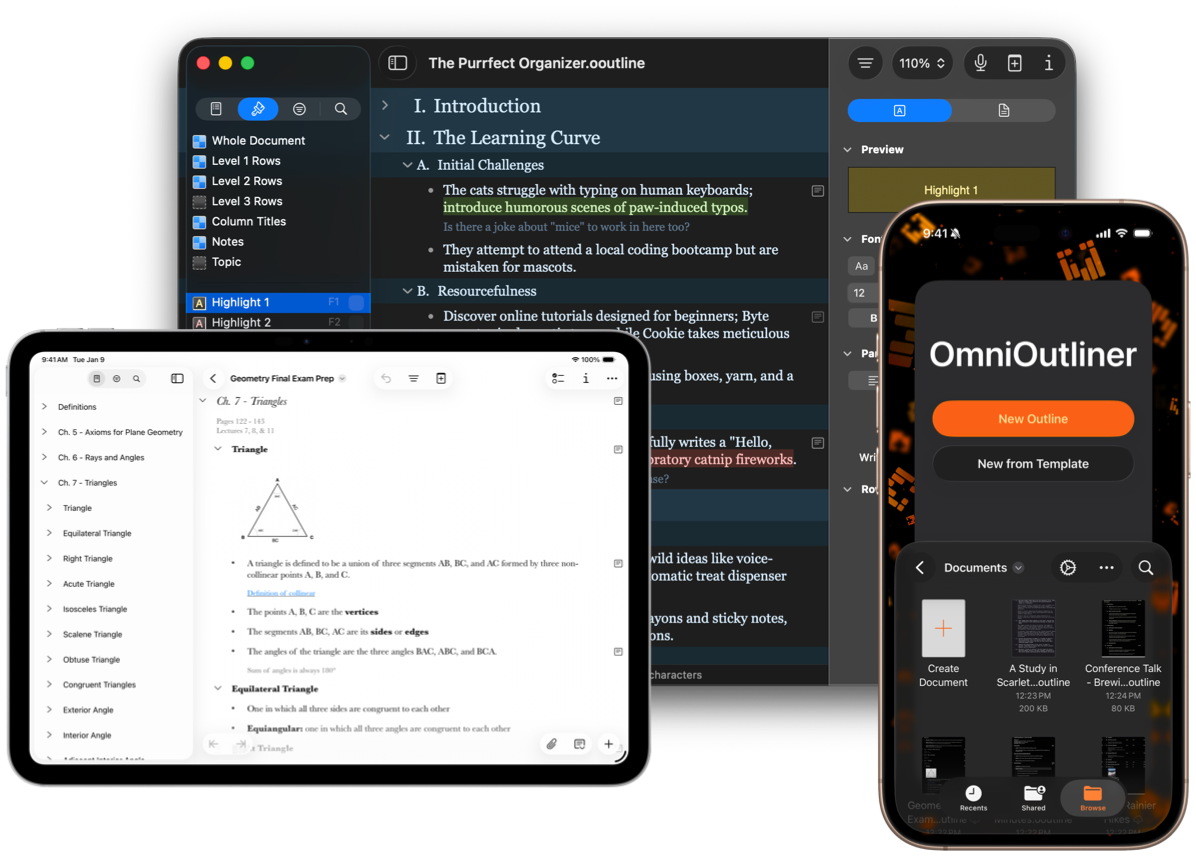
OmniOutliner 6 is designed as a universal app for all of Apple’s computing platforms: desktop, mobile, and spatial. In this modern era, we think it’s important to build an app that works consistently across all your devices, yet is optimized for each device.
Visually refreshed with beautiful Liquid Glass design elements and a modernized look and feel, OmniOutliner 6 feels right at home on the latest operating systems. Liquid Glass is not without its challenges, but it also has some clear benefits: for the first time ever, it simultaneously updates the design of Apple’s computing platforms in a consistent way. Paired with SwiftUI, Apple’s latest round of operating system updates provides us with a great foundation for building universal cross-platform interfaces.
Redesigning and rebuilding all of our toolbars, sidebars, and inspectors for Liquid Glass gave us a great opportunity to cross-pollinate features, making some familiar platform-exclusive features available across all platforms for the first time. And it was also easier than ever to build new features that work in consistent ways across those platforms.
For all platforms OmniOutliner 6 introduces smart Dynamic Themes, which automatically adapt to Light and Dark Mode, and a brand new cross-platform template picker.
On the Mac, OmniOutliner 6 additionally introduces the ability to open and work with concurrent multiple windows of the same document—something I find particularly useful when working with long outlines.
On the iPad and iPhone, OmniOutliner 6 adds support for creating and editing advanced Saved Filters, and a handy, new Style Attributes Inspector, plus additional style customization support for grid lines, row indentation and column-spanning Notes.
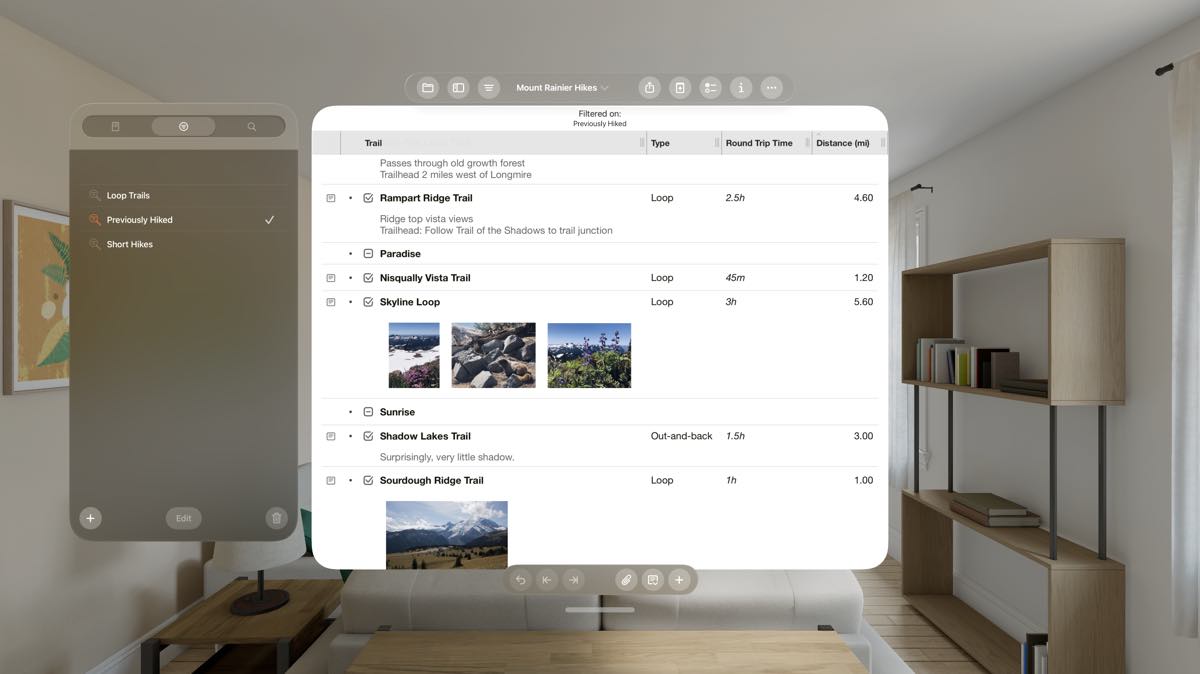
OmniOutliner 6 is now a fully spatial app on the Apple Vision Pro, joining OmniFocus and OmniPlan as our third native app. The unique, spatial computing environment provided by the Apple Vision Pro allows users to place outlines in specific locations around the office, room or house.
Omni Links
The features noted above already make for a great upgrade. But as I mentioned last year, one of the interesting problems we’ve been pondering is how best to link to documents in native apps. We’ve spent some time refining our solution to that problem, Omni Links, which are now shipping first in OmniOutliner 6. With Omni Links, we can link to content across all our devices, and we can share those links with other people and other apps.
Omni Links support everything we said document links needed to have. Omni Links work across all of Apple’s computing platforms and can be shared with a team. They leverage existing solutions for syncing and sharing documents, such as iCloud Drive or shared Git repositories. They are easy to create, easy to use, and easy to share.
Omni Links also power up Omni Automation, giving scripts and plug-ins a way to reference and update content in linked documents—documents that can be shared across all your team’s devices.
When you want to share your outlines with others, of course there are lots of built-in export options for PDF, HTML, RTF, plain text, spreadsheets, and so on. But, as with all of our apps, the unlicensed app has a Free Viewer mode for its own documents. With Omni Links, this makes collaboration easier than ever: you can select a row, copy an Omni Link, and share it with your team—and anyone with a Mac, iPad, iPhone, or Apple Vision Pro can open the link in the free viewer to see what you shared—no additional purchase required.
Apple Intelligence
There have been a lot of different iterations on “AI” over the decades, and whether you work in tech or elsewhere you’ve probably been exposed to the latest crop of generative AI models. One of the best things about Apple’s approach to generative AI, Apple Intelligence, is that it does most processing on your own device, rather than on someone else’s computer. Keeping your data on your own device is obviously important for privacy. It’s also important for reliability. You don’t have to worry about someone else’s computer being overloaded, unreachable, or deprecated: you know that you can do all your processing on the device that’s already at your fingertips.
With OmniOutliner, these powerful Apple Intelligence language models are fully under your control. Like all language models, they’re not perfect oracles by any means—and they’re not fundamental to using OmniOutliner. But sample plug-ins leveraging Apple Intelligence are ready for immediate one-click installation, and plug-in authors can integrate these language models with OmniOutliner in all sorts of creative ways.
For those who choose to use them, these plug-ins can be nice time savers: automatically summarizing an article into an outline, or generating content such as a meeting agenda or a fictional story based on a simple prompt. (Just be sure to review their work!) We tried this ourselves to generate some of the sample content in our screenshots, which illustrate a broad array of OmniOutliner use cases.
Making the Omni Suite Universal
With OmniOutliner 6, we now have three apps available as a universal cross-platform purchase. When you purchase an OmniOutliner 6 license, you can use the app across all of Apple’s computing platforms: Mac, iPad, iPhone, and Apple Vision Pro.
With all these new features, and the support for all these platforms with a single purchase, how much should you expect to pay? This might be too generous, but we’ve decided to launch the universal OmniOutliner 6 Pro app at $99.99—exactly the same price as OmniOutliner 5 Pro for Mac. We think this is a terrific value! For those of you who already have a license to any previous version of OmniOutliner (including the copies that were bundled with every MacBook twenty years ago), you can register those licenses to your Omni Account to receive a 50% upgrade discount on your purchase. (Upgrades are half price, as usual!)
With its beautiful Liquid Glass design, groundbreaking Omni Links, and on-device integration with Apple Intelligence, OmniOutliner 6 is the best ever. To get started with a free two-week trial that unlocks OmniOutliner 6 across all your devices, simply install OmniOutliner 6 from the App Store and sign into your Omni Account.
Here’s to a happy, healthy, and very productive 2026. I hope you enjoy OmniOutliner 6!
If you have any feedback, I’d love to hear from you! You can find me in the Mastodon corner of the Fediverse at @kcase@mastodon.social, or send me email at kc@omnigroup.com.
