
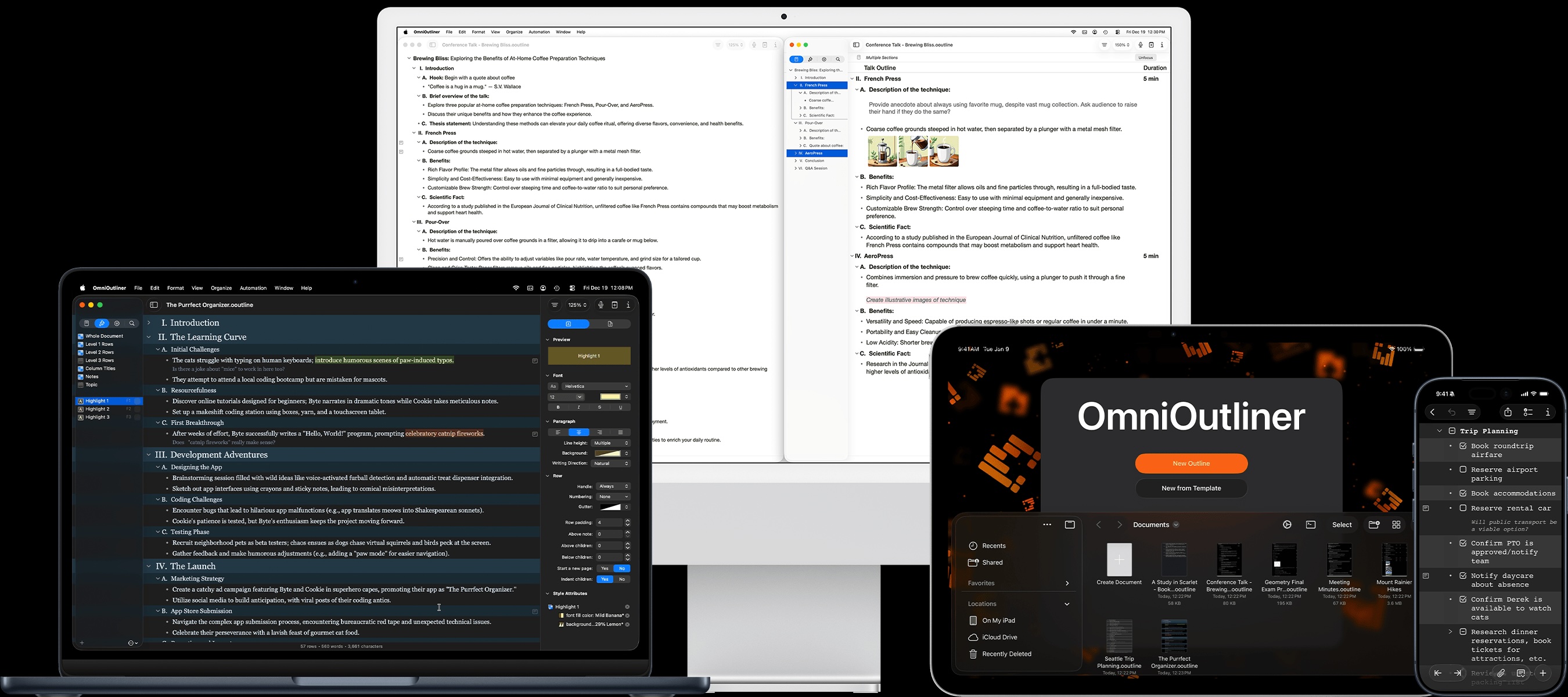
OmniOutliner
for Mac 4.1.4
Collect
Store and collect all sorts of information for anything. Using built-in themes or the default to get started, OmniOutliner provides just the right jumping-off point for whatever‘s on the tip of your tongue right this minute.
OmniOutliner 4 for Mac is a great way to collect and review information. Store pictures, audio—even video—in a document for students, colleagues, family, and friends. Fill in fields faster with smart matching tech, and add just the right style for the perfect compendium of facts, easily shareable in open formats.
Write
Writing can be hard, but OmniOutliner won’t add any extra friction. With new features in iOS 7, you’ll find keyboard shortcuts for everything — getting information down quickly is downright effortless in OmniOutliner 2 for iPad.
OmniOutliner 4 is feature-rich enough to see a novel from start to finish. You’ll have more flexibility by putting sentences or paragraphs in easily-referenceable nodes; way more powerful than a typical word processor.
Structure
Use OmniOutliner to add structure to your information — something beneficial to more than just outlines. Expand or collapse what you need, when you need it. And on the iPad, you can add that structure with a full array of keyboard shortcuts.
Use OmniOutliner 4 to add structure to your information — something beneficial to more than just outlines. Expand or collapse what you need, when you need it, and zoom in or focus to move everything else out of the way. Reference material there if you need it, but not in your face.
Annotate
Perfect for meetings, classes, or keying in need-to-know terms during a sailing lesson. OmniOutliner 2 for iPad gets completely out of the way so you can type, return, and type some more. Start new documents with a template to keep everything uniform, quickly. You’ll find yourself starting all new documents here.
Use Full-screen mode in OmniOutliner 4 to move everything but your document out of the way. Set up templates so you’ll always have uniform outlines, quickly. You’ll never not find a new document to improve in OmniOutliner 4.
Sync
Edit all of your outlines on any Mac or iPad using OmniPresence. It’s free, reliable, and open. Your files are always intact and available — they’ll even be waiting for you with Background App Refresh in iOS 7.
Edit all of your outlines on any Mac or iPad using OmniPresence. It’s free, reliable, and open. Your files are always intact and available, quietly syncing in the background with the small desktop app.
Video
Features
| Features | Mac | iPad | |
|---|---|---|---|
| Document Syncing | X | X | |
| Background syncing on both Mac & iPad with OmniPresence | |||
| Smart Column Types | X | X | |
| Use columns for checkboxes, dates, numbers — even automatic sums or averages | |||
| Text Zooming | X | X | |
| Quickly change zoom levels via keyboard or toolbar | |||
| Rich Text | X | X | |
| Style every aspect of each outline — or just use 12 pt Helvetica | |||
| Organize & Import/Export | X | X | |
| Export to OPML, HTML, DHTML, and more | |||
| Batch Find | X | X | |
| Search for a quick list of results | |||
| Attachment support | X | X | |
| Throw in images, recordings, PDFs, EPUBs, and more | |||
| Hardware Keyboard Shortcuts | X | X | |
| Support for heaps of keyboard shortcuts — even on iPad | |||
| Inline Notes | X | X | |
| Look at notes right under each row | |||
| Document Theming | X | X | |
| Swap out look A for look B. Themes included | |||
| Multiple Document Templates | X | X | |
| Set up a custom, stylized template for every scenario | |||
| Audio Recording | X | X | |
| Get your thoughts down with audio, too | |||
| Named Styles | X | X | |
| Easy references for specific styling, like “Blue Header 5” or “Serious Gray 44” | |||
| Text Folding | X | X | |
| Collapse what you don’t need to see | |||
| Column Visibility | PRO | X | |
| Quickly show or hide the columns you need | |||
| More Export Formats | PRO | X | |
| Adds a few more formats, like Microsoft Word’s .docx | |||
| Folded Editing | PRO | ||
| OmniOutliner collapses each line of text except the one you’re working on | |||
| Export Plugins | PRO | ||
| Create or install plugins for exporting to custom filetypes | |||
| AppleScript support | PRO | ||
| Use a full AppleScript library to read from, manipulate, and add to outlines | |||
| Advanced Style Control | PRO | ||
| Adjust row metrics, page breaks, and handle visibility | |||
| Row Linking | PRO | ||
| Quickly create links to other sections within your document | |||
Milestones
App Info
OmniOutliner 4 for Mac
Pricing
OmniOutliner 4 for Mac Standard: $49.99
OmniOutliner 4 for Mac Professional: $99.99
One Download for Pro and Standard
Enable Pro features by entering a OmniOutliner Pro License Key or via In-App Purchase for App Store copies. OmniOutliner runs unlicensed as a trial for 14 days; switch between Pro and Standard feature sets during your trial via the OmniOutliner menu.
Additional Downloads
ManualLanguages
English
Previous Versions
You can still download OmniOutliner 3 Standard and Professional from our archives.
OmniOutliner for iPad
Pricing
OmniOutliner for iPad: $29.99
Additional Downloads
ManualLanguages
German, English, Spanish, French, Japanese, Dutch, Italian, Russian, Simplified Chinese